Persistent Customizable Visibility of Series in Model-Based and Conversion Fit Charts
Kinetics Neo Version 3.5 or later.
In Model-Based and in Model-Free Conversion Fit charts it is possible to save the visibility of the chart series, which are selected by the customer.
When the customer, for example, selects only the first two series in Model-Based chart to be visible, then switches to another chart, and after that goes back to the first chart, then the previously selected visibility of first two series (as example) will be restored.
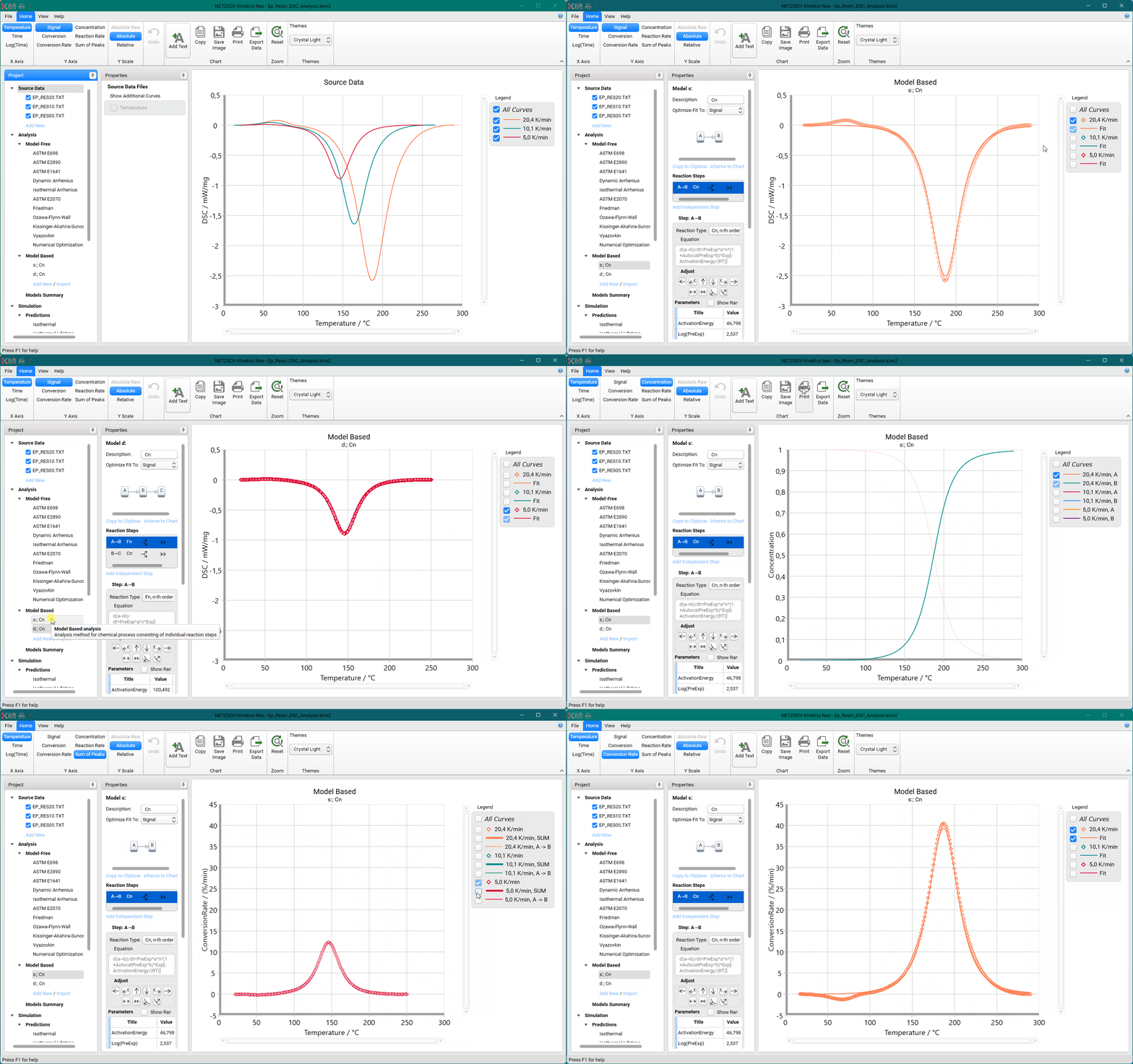
Clicking on the following buttons will also keep the visibility of selected series in Model-Based chart:
-
Step Recalculate
-
Step Optimize
-
Model Recalculate
-
Model Optimize.
Visibility for following Y Values in Model-Based charts will share the same custom visibility:
-
Signal
-
Conversion
-
Conversion Rate.
If the customer sets the visibility of series for Signal value, for example, the same visibility will be applied for Conversion and Conversion Rate values.
The rest of Y Values use independent visibility settings:
-
Concentration
-
Reaction Rate
-
Sum of Peaks.
Source Data with a Few Data Points
Kinetics Neo Version 3.7 or later:
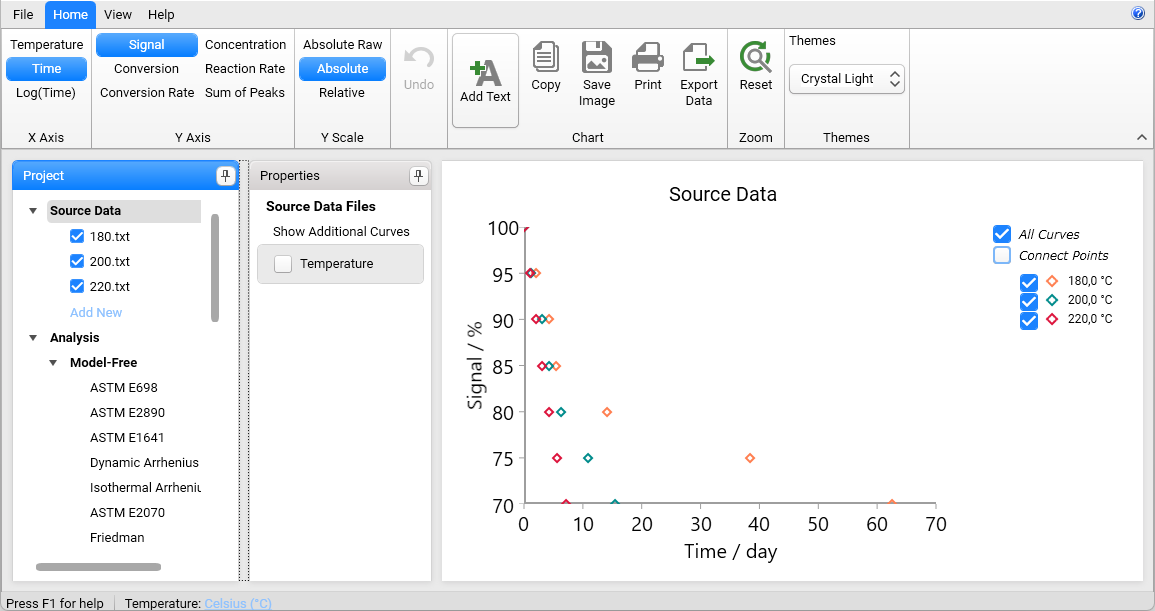
In Source Data section the sparse data with few data points can be presented as the markers only or as the markers with connecting lines:
If Connect Points in the legend is activated, then the data points at the same temperature are connected with the straight lines:
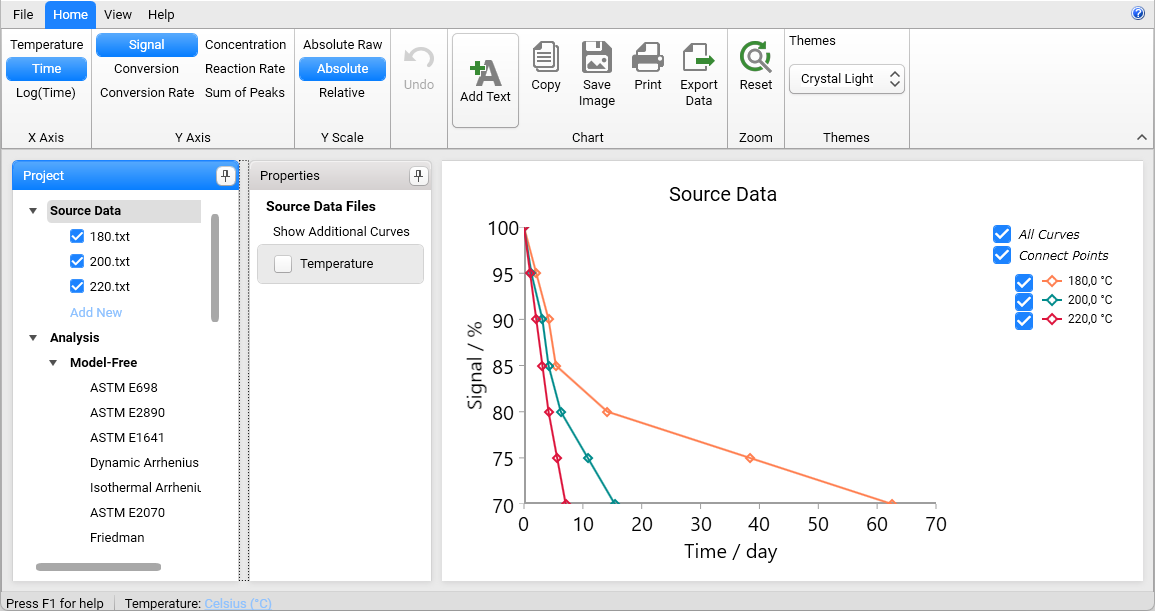
The maximal number of points for this view can be set in Settings.
If number of points is higher than this value, like in DSC measurements, then source data are presented as the curves.